
Replatform without revenue loss.
Shopify Migration Services
We’re a Shopify Partner agency handling end-to-end Shopify migrations for ecommerce brands moving from WooCommerce, BigCommerce, Magento, WordPress, Squarespace, Wix, and custom platforms. Every migration includes a full data audit, test migration, SEO preservation plan with redirect mapping, theme rebuild on Shopify, app and integration setup, and post-launch monitoring. Migrating ecommerce stores is high-stakes work, one wrong move costs you product data, customer history, or search rankings you spent years building. We’ve shipped migrations since 2017, including catalogs with tens of thousands of SKUs and complex multi-currency setups. Read our Shopify Migration Guide for the framework we use on every project.

“Mihai did an incredible job migrating my website from WordPress to Shopify. His attention to detail is second to none and he incorporated things to improve SEO and overall user experience.”
Mason Logue, Water Wise Group
Why Merchants Migrate to Shopify
Stores migrate to Shopify for a small number of recurring reasons. Their current platform can’t scale with their order volume or catalog size. Their existing checkout is slow, breaking on mobile, or costing them conversions. Their development costs keep climbing because the platform requires constant maintenance just to stay current. Their app ecosystem is limited compared to what’s available on Shopify. Or they need built-in features (Shopify Payments, Shop Pay, multi-currency, multi-location inventory, Shopify POS) that their current platform can’t deliver without expensive workarounds. Shopify solves these problems at scale, and a clean migration delivers all the benefits without dragging old technical debt along. If you’re weighing whether the upgrade is worth it, read our Guide to Upgrading to Shopify Plus for the framework we use to decide between Shopify and Shopify Plus.
Platforms We Migrate From
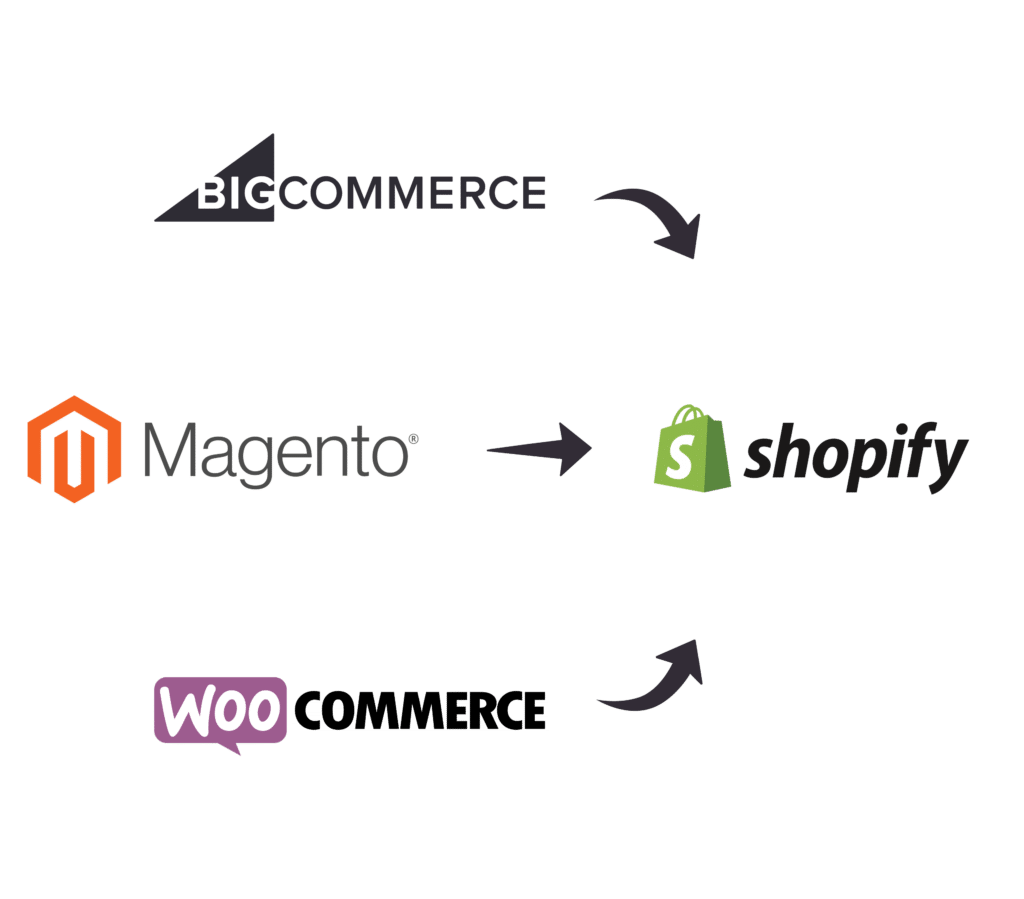
We migrate ecommerce stores from any platform to Shopify. The most common source platforms, each with platform-specific considerations:
WooCommerce to Shopify
WooCommerce to Shopify migrations are our most common engagement. We migrate product catalogs, variant structures, customer accounts, order history, blog content, and SEO equity (with redirect mapping for every WooCommerce URL). For the full breakdown, see our dedicated WooCommerce to Shopify migration services page, or read the step-by-step WooCommerce to Shopify Migration Guide.
WordPress to Shopify
Migrating from WordPress is common for content-first brands that have outgrown WooCommerce or never had real ecommerce in the first place. We preserve your blog content, content pages, and SEO equity while moving the commerce side to Shopify. See our dedicated WordPress to Shopify migration services page for the specifics.
BigCommerce to Shopify
BigCommerce migrations require careful mapping of features that work differently in Shopify: pricing rules, product options, customer groups, and checkout customizations. For the full scope, see our dedicated BigCommerce to Shopify migration services page, or read the step-by-step BigCommerce to Shopify Migration Guide.
Squarespace to Shopify
Squarespace migrations are design-led projects: the storefront gets rebuilt on Shopify while blog content, products, customers, and gift card balances move over with full redirect mapping. See our dedicated Squarespace to Shopify migration services page for the specifics.
Magento to Shopify
Magento migrations are typically the most complex due to deeply customized Magento installations, large catalogs, and the architectural differences between Magento and Shopify. We handle product catalog migration, customer and order history, custom attribute mapping, redirect setup, and theme rebuild for stores moving off Magento 1 or Magento 2.
Wix and Other Platforms
We also migrate stores from Wix, Volusion, 3dcart, OpenCart, PrestaShop GoDaddy, and custom-built ecommerce platforms. Each migration is scoped individually since custom platforms have unique data structures and integration requirements.
Our Shopify Migration Process

1. Analyze & Plan
We start with a full audit of your current store: data structure, custom fields, app stack, integrations, redirect requirements, and the platform-specific differences to plan for. This information defines the migration plan, timeline, and risk areas. The audit also surfaces opportunities to clean up data quality issues before the move (orphan products, broken URLs, duplicate customer records) so you start on Shopify with a cleaner database than you left behind.

2. Data Migration
We import all your data: products, collections, content pages, blogs, customer accounts, order history, inventory levels, discount codes, and tax settings. Every migration starts with a test run on a small data subset to validate the mapping, catch any data integrity issues, and confirm the source-to-target field structure before running the full migration.

3. Design & Functionality
We rebuild your storefront on Shopify with a theme that matches your brand, your product types, and your conversion priorities. This can range from customizing a premium Shopify theme to a full custom theme build, depending on your scope and budget. See our Shopify theme development services for the full breakdown of theme work. We also configure your full integration stack: payment gateways, shipping, email marketing, reviews, loyalty, ERP, and any custom apps you depend on.

4. Search Engine Optimization (SEO)
Preserving SEO equity is the most common point of failure on Shopify migrations. We map every existing URL to its new Shopify equivalent, set up 301 redirects in bulk, preserve title tags, meta descriptions, H1s, and alt text, and submit updated XML sitemaps to Google Search Console after launch. For the full safety net, read How to Avoid Traffic Drops After a Website Redesign, which covers the migration patterns we follow on every project.

5. Handover & Training
Before the handover, we train your team on managing the new Shopify store: product and inventory updates, order management, customer accounts, basic theme edits, app configuration, and the day-to-day operations that used to live on your previous platform. Reference documentation is tailored to your specific Shopify configuration, not generic Shopify help articles.

6. Test & Launch
We run a full QA pass across desktop and mobile: every template, every product variant, every payment method, every shipping zone, and the redirect map. You also run your own test pass with our checklist. Once both teams sign off, we deploy the new store, monitor traffic and conversion rates for the first week, and address any issues that surface under real customer behavior.
End-to-End Shopify Migration Services
Our migration engagements cover every data type your old platform stored. We map source-system field structures to Shopify’s data model, run test migrations to validate accuracy, and execute the full migration only after the test run passes QA. Nothing gets left behind, and nothing arrives broken on the new store.
What Data We Migrate to Shopify
We migrate every data type your customers, operations team, and SEO depend on. The full data list covered in a typical migration:
Products
Product title, description, pricing, tax, inventory, etc.
Product Categories
Category name, description, images, status, meta title, meta descriptions.
Customer Data
Customer profiles, contact information, billing addresses, shipping addresses, account, and customer tags.
Customer Orders
Order details like products, billing information, customers, etc.
Product Attributes
Product features, specifications, bullet-point data.
Product Variants
Product variants like color, size, etc.
301 Redirects and SEO Preservation
301 URL redirects to ensure your current rank on search engines is retained.
Metadata
Short and long descriptions, SEO titles, images alt text.
Blog posts
Blog title, description, media files, SEO URLs.
Content Pages
Stand-alone pages like About Us, Contact Us, Shipping policy page, etc.
Reviews
Product reviews and ratings from your existing review platform imported into your Shopify review app of choice.
Discount Codes
Active discount and coupon codes with their values, rules, and usage limits, recreated as Shopify discounts so live promotions keep working after launch.
Manufacturers
Manufacturer data is linked to each product for easy filtering.
Pricing/Inventory Rules
Special formulas for bulk inventory and pricing updates.
Strip HTML Styling
Embedded HTML removal to keep your data displayed neatly on your new store.
Taxes
Tax rates, tax zones, and tax exemption rules configured in your new Shopify admin to match your existing setup. We also verify Shopify Tax or third-party tax service integration if applicable.
Zero Downtime, Zero Data Loss
Your current store keeps selling right up to the moment we switch over. We build and test your new Shopify store in parallel, on a private staging environment, while your existing site stays live. There is no maintenance page, no gap in sales, and no orders lost while the project is underway.
Before launch we run a full test migration and reconcile it against your source data record by record, so nothing is dropped and nothing is duplicated. Products, variants, customers, and full order history move across intact. Every old URL is mapped to its Shopify equivalent with a 301 redirect, so the search rankings and backlinks you have built up carry over instead of resetting to zero.
At cutover we point your domain to Shopify during a low-traffic window, verify every redirect and the full checkout flow end to end, then monitor the store closely through the first days after launch. If anything needs adjusting, we are already watching for it.
What “zero downtime” means in practice:
- Your live store stays open for business throughout the build.
- A complete test migration is signed off before any switch is made.
- 301 redirects are in place on day one, so traffic and rankings hold.
- We handle the DNS cutover and post-launch monitoring, not you.
Why Choose Soda Web Media to Migrate Your Store to Shopify?
Migrating an ecommerce store is high-stakes work. One wrong move costs you product data, customer history, or search rankings you spent years building. Since 2017, we’ve migrated stores from WooCommerce, Magento, BigCommerce, Squarespace, Wix, and custom platforms to Shopify. We’ve transferred catalogs with tens of thousands of SKUs, preserved complex variant structures, mapped redirects for stores with hundreds of thousands of indexed URLs, and maintained SEO equity through the cutover.
As a Shopify Partner, Soda Web Media designs, builds, migrates, and grows Shopify stores. Our migration process always includes a full data audit, test migration, SEO preservation plan with redirect mapping, theme rebuild, integration setup, and post-launch monitoring, so your transition to Shopify is seamless and your business doesn’t skip a beat. After migration, most clients move into our Shopify Support and Maintenance Membership for ongoing development and optimization on the new platform.

Recent Shopify Migrations
-

PITBOX USA
A Shopify design and development project migrating PitBox USA from Squarespace, featuring custom theme design, branded Shopify emails, Judge.me review integration, and GitHub version control for a backyard barbecue brand.
View Project -
Cutting Edge Firewood
Lewis and Sheron Textiles is a four-generation American-owned textile company offering the world’s finest home fabrics in Atlanta, GA.
View Project


Shopify Migration FAQ
Common questions from ecommerce brands considering a Shopify migration. If you don’t see your question here, reach out and we’ll get you an answer.
How long does a Shopify migration take?
A typical Shopify migration runs 6 to 12 weeks from kickoff to launch, depending on catalog size, source platform complexity, and the scope of theme work. Small catalogs (under 500 products) with a clean source data structure and a theme customization can ship in 6 to 8 weeks. Larger catalogs (5,000+ products), complex variant structures, custom Magento or BigCommerce setups, or full custom theme builds run 10 to 16 weeks. We scope your specific timeline during discovery so the launch date is predictable.
Will I lose SEO rankings during the migration?
A properly executed Shopify migration preserves SEO equity. The critical work happens in three places: comprehensive 301 redirect mapping (every old URL points to its Shopify equivalent), preservation of on-page SEO elements (title tags, meta descriptions, H1s, image alt text, structured data), and post-launch monitoring of organic traffic and rankings for the first 90 days. Most stores see a brief dip in the first 1 to 2 weeks as Google reindexes the new URLs, followed by a return to baseline traffic and often an improvement as Shopify’s faster page speed compounds.
Will my store have downtime during the migration?
No. We build the new Shopify store in a staging environment, then cut over to the live domain at a planned launch window. The cutover itself takes minutes, not hours, and we coordinate it with your team so traffic is minimized during the swap. Your existing store stays live and selling throughout the migration build.
What’s included in a Shopify migration?
Every migration includes a full source-data audit, test migration, full data migration (products, collections, customers, order history, content pages, blog posts, reviews, discount codes, tax settings, redirects). Theme rebuild on Shopify, payment gateway and shipping configuration, app stack setup, SEO preservation plan with 301 redirect mapping, staff training, pre-launch QA, deployment, and post-launch monitoring for the first 90 days.
How much does a Shopify migration cost?
Cost depends on catalog size, source platform complexity, theme scope, and the number of integrations to rebuild. We send a fixed-fee proposal after a scoping call so you know exactly what you’re paying before any work begins. Reach out for a free scoping conversation and we will quote your specific migration.
Do you migrate from my platform?
We migrate from WooCommerce, BigCommerce, Magento (1 and 2), WordPress, Squarespace, Wix, Volusion, 3dcart, OpenCart, PrestaShop, and custom-built ecommerce platforms. For the most common source platforms, we have dedicated guides: WooCommerce to Shopify, BigCommerce to Shopify, and our general Shopify Migration Guide covering the cross-platform fundamentals.
Are you based in Atlanta, and do you work with clients outside the city?
Yes. Soda Web Media is headquartered in Atlanta, and our Shopify migration clients are based across the United States. Scoping, build, data migration, theme work, QA, and launch all happen remotely via video, screen-share, GitHub, and shared workspace.
Ready to Migrate to Shopify?
Our Shopify migration team will scope your project, map the source-to-Shopify data plan, and share a fixed-fee proposal. Free discovery call, no commitment required.