
Replatforming your ecommerce business is a strategic move that can unlock massive growth, but it requires careful financial planning. When leaders ask about the true Shopify migration cost, they often mistakenly focus solely on the monthly subscription fee. In reality, moving to a new platform involves a comprehensive project scope encompassing data transfer, design rebuilds, system integrations, and SEO preservation.
Whether you are fleeing a slow, outdated legacy system or upgrading from a basic entry-level cart, understanding the full financial picture is critical. This comprehensive guide breaks down every expense you will encounter, helping you budget accurately, avoid hidden fees, and ensure your transition to Shopify delivers a powerful return on investment.
Key Takeaways
- Small stores using automated apps and pre-built themes: $5,000 to $15,000.
- Mid-market agency migrations with custom design and SEO preservation: $15,000 to $75,000.
- Enterprise Shopify Plus replatforming with ERP/B2B integrations: $80,000 to $200,000+.
- Top cost drivers: catalog size and variant complexity, custom theme work, third-party API integrations, and 301 redirect / SEO preservation.
- Hidden costs to budget: data cleanup, internal team time, new app subscriptions, and 30–60 days of post-launch developer support — plan a 15–20% contingency.
- Part of our complete migration playbook: see the full Shopify migration guide for the broader cluster including timeline, platform-specific paths, and methods.
How Much Does Shopify Migration Cost?
Shopify migration costs typically range from $5,000 to $200,000+ depending on store size and complexity. Small stores using automated apps land between $5,000 and $15,000; mid-market agency migrations cost $15,000 to $75,000; enterprise Shopify Plus replatforming projects start at $80,000 and can exceed $200,000.
The final price is driven by catalog size, custom theme requirements, third-party integrations, and SEO preservation work. Below, we break down each tier in detail.
Shopify Migration Cost Ranges by Store Size and Complexity
No two ecommerce stores are identical. The cost of your project will scale alongside your data volume, design requirements, and operational workflows.
Small stores with basic catalogs
For a small business with fewer than 1,000 SKUs, minimal customer data, and no complex integrations, migration is relatively straightforward. These projects typically cost between $5,000 and $15,000. At this tier, merchants often use automated migration apps and pre-built premium themes, requiring only light customization and basic setup.
Mid-market stores with moderate customization
Mid-market brands usually possess between 1,000 and 20,000 SKUs, years of historical order data, and a reliance on specific third-party tools for email marketing, reviews, and fulfillment. Migrating these stores typically costs between $15,000 and $75,000. This budget accounts for professional agency support, custom theme development, API connections, and rigorous SEO preservation.
Enterprise stores with complex workflows and integrations
Enterprise operations handling massive transaction volumes, multi-currency requirements, B2B wholesale portals, and custom ERP integrations sit at the highest pricing tier. These migrations generally range from $80,000 to $200,000+. At this level, the project is less about simply moving data and more about completely re-architecting the brand’s digital ecosystem on Shopify Plus.
What Affects the Cost of Migrating to Shopify?
Understanding the primary drivers behind your Shopify replatforming cost allows you to control your budget effectively. Several key variables will directly influence your final quote.
Products, variants, customers, and order history
Data volume is a primary cost driver. Moving 50 simple products is a trivial task; moving 50,000 products with complex variant structures (e.g., size, color, material), custom metafields, and high-resolution media requires sophisticated data mapping. Shopify enforces a hard limit of 100 variants and 3 option types per product, which often forces structural rework on enterprise catalogs migrating from Magento or BigCommerce. Furthermore, migrating years of customer accounts and historical order data demands specialized scripts to ensure relationships remain intact.
Current platform and source-store complexity
The platform you are leaving dictates how easily your data can be extracted. Modern platforms with clean, accessible APIs are cheaper to migrate from. Conversely, extracting data from a heavily customized, self-hosted legacy platform often requires expensive, custom-built middleware.
Theme rebuild, redesign, and custom features
You cannot simply copy and paste your old website’s code into Shopify. Your storefront must be rebuilt using Shopify’s Liquid templating language or a headless framework. Purchasing and tweaking a standard theme costs a few thousand dollars, whereas designing and developing a fully bespoke, conversion-optimized user experience can cost upwards of $30,000.
Apps, integrations, and API work
Your ecommerce store does not exist in a vacuum. It must communicate with your Enterprise Resource Planning (ERP) software, Customer Relationship Management (CRM) tools, Warehouse Management Systems (WMS), and Product Information Management (PIM) platforms. Custom API development to bridge these systems is often the most expensive line item in an enterprise migration.
SEO migration requirements
Traffic preservation is paramount. If you change your URL structures without implementing a meticulous 301 redirect mapping strategy, your organic search rankings will plummet. Proper SEO preservation involves auditing current traffic, mapping URLs, transferring metadata, and rebuilding schema markup.
International, B2B, and multi-store requirements
If your business operates across multiple regions with different currencies, languages, and tax rules, your migration complexity multiplies. Similarly, replicating complex B2B workflows—such as tiered pricing, net-30 payment terms, and custom quoting—requires advanced Shopify configurations that increase the overall project cost.
Based on the mid-market and enterprise Shopify migrations our team has delivered, the single biggest cost driver isn’t platform choice — it’s data complexity. High-variant catalogs (think apparel SKUs that exceed Shopify’s 100-variant limit) and years of bespoke metafields routinely add 15–25% to the data-migration line item alone. The second-biggest is replicating checkout and B2B logic that legacy platforms allowed but Shopify implements differently. Budgeting an honest contingency for these two upfront is the difference between a calm launch and a quote-creep crisis.
Shopify Migration Cost Breakdown
To budget effectively, you must understand how your investment is distributed across the lifecycle of the project. Here is a standard breakdown of where your money goes during a professional migration.
Discovery and planning
Before any data moves, a professional agency will audit your existing tech stack, document your business requirements, and create a comprehensive technical roadmap. This phase typically accounts for 10% to 15% of the total budget.
Data migration
Shopify data migration cost covers the extraction, cleaning, mapping, and importing of your core business entities. Depending on the cleanliness of your legacy database, this consumes 15% to 20% of your budget.
Design and UX rebuild
Creating the visual frontend of your new store is a major undertaking. Whether adapting a premium theme or building from scratch, design and frontend development usually account for 30% to 40% of the total cost.
Custom development and feature replacement
Replacing legacy plugins with native Shopify apps or custom-built solutions takes time. Developing unique features—like product configurators or specialized calculators—will consume 15% to 25% of your budget.
SEO preservation
Protecting your hard-earned Google rankings is a non-negotiable expense. A dedicated SEO migration strategy generally costs between $5,000 and $15,000, depending on the size of your site architecture.
Testing, QA, training, and launch support
Quality Assurance (QA) ensures that checkout flows, tax calculations, and shipping rules function flawlessly before real customers arrive. Coupled with staff training and post-launch troubleshooting, this phase requires 10% to 15% of the budget.
DIY vs. Migration App vs. Shopify Agency: Which Option Costs Less?
When evaluating DIY vs professional Shopify migration, you must weigh the upfront financial savings against the long-term risk of botched data and lost revenue. The table below summarizes the four common paths at a glance, then each method is detailed in the sections that follow.
| Method | Typical Cost | Best For | Risk Level | Typical Time |
|---|---|---|---|---|
| Manual CSV / DIY | $0 – $500 | Brand-new or very small stores with no SEO equity | High — data integrity, SEO loss, broken redirects | Days to a few weeks |
| Migration apps (Cart2Cart, LitExtension, Matrixify) | $50 – $500+ | Simple stores moving raw data only | Medium — moves data only, no design or SEO | 1–2 weeks |
| Shopify expert / agency | $15,000 – $100,000+ | Established brands with traffic, complex catalogs, or custom integrations | Low — data, design, and SEO preserved end-to-end | 4–24 weeks |
| Shopify Plus engagement | $50,000+ | Enterprise / high-volume / B2B / multi-region | Lowest — full re-architecture with platform engineers | 4–6 months |
Manual CSV and native Shopify import tools
Cost: $0 – $500 for brand new or small stores, exporting data from your old platform into a CSV file and importing it into Shopify is the cheapest option. However, it is incredibly time-consuming and prone to human error. One misaligned spreadsheet column can break your entire product catalog.
Third-party migration apps
Cost: $50 – $500+ Tools like Cart2Cart and LitExtension automate the data transfer process. You connect your old store’s API to Shopify, and the app moves the data. While highly cost-effective for simple stores, these tools only move raw data. They do not migrate your design, configure your settings, or protect your SEO.
Hiring a Shopify expert or agency
Cost: $15,000 – $100,000+ For established brands, Shopify migration agency cost is justified by risk mitigation. A dedicated Shopify store migration partner handles the technical heavy lifting, ensures zero data loss, guarantees SEO preservation, and trains your team on the new system.
Platform-Specific Shopify Migration Costs
The platform you are currently using plays a massive role in dictating the complexity of your move.
Magento to Shopify migration cost
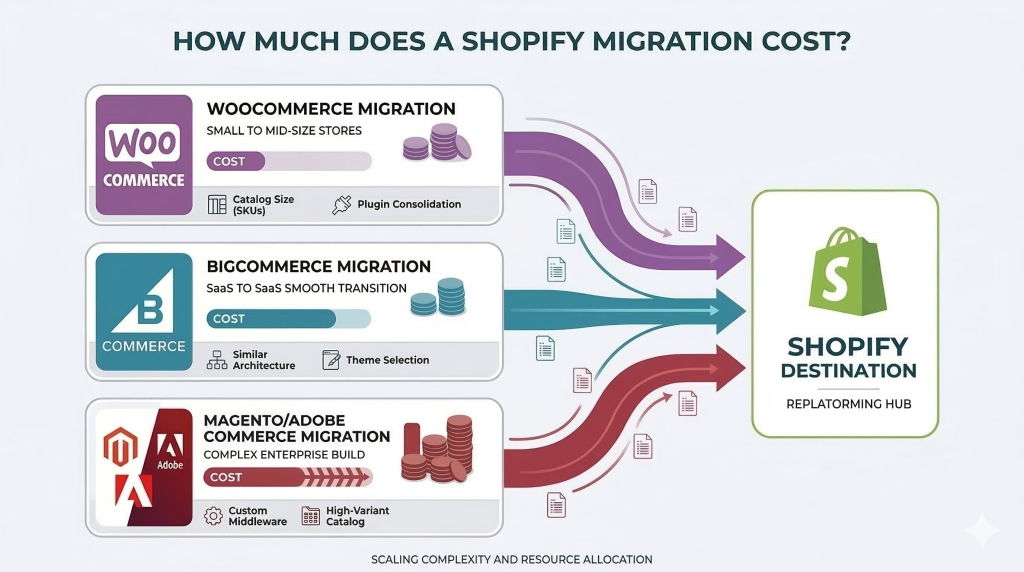
Magento (Adobe Commerce) is a highly complex, self-hosted platform. Because Magento data structures are vastly different from Shopify’s, this is rarely a simple export/import job. A professional Magento to Shopify migration cost typically starts around $25,000 and can easily exceed $100,000 for enterprise builds requiring custom ERP middleware.
WooCommerce to Shopify migration cost
Because WooCommerce is a WordPress plugin, stores often rely on dozens of disjointed third-party plugins to function. A WooCommerce to Shopify migration involves consolidating these fragmented plugins into a streamlined Shopify app stack. This process usually costs between $5,000 and $30,000, depending on product count and custom functionality. Stores running on a standard WordPress install (not WooCommerce) follow a slightly different path — see our WordPress to Shopify migration guide for the step-by-step process.
BigCommerce, Wix, and custom platform migration costs
Moving from BigCommerce to Shopify is generally smoother, as it shares a similar SaaS architecture with Shopify. Wix migrations are typically inexpensive ($1,000 – $5,000) due to smaller catalog sizes. However, migrating from a fully custom-built legacy platform is highly unpredictable and requires extensive manual data mapping, often pushing costs into the $50,000+ range.
Shopify Plus Migration Cost vs. Standard Shopify
Choosing between standard Shopify and Shopify Plus fundamentally changes your project scope.
Shopify Plus migration cost is inherently higher because the platform is designed for enterprise merchants. These projects involve high-volume data transfers, complex B2B wholesale setups, advanced checkout customizations, and deep ERP integrations. Expect a Plus migration to start at $50,000 and scale upward.
Crucially, you must also factor in Shopify’s ongoing platform fees. Standard Shopify plans range from $39 to $399 per month. In contrast, Shopify Plus starts at $2,500 per month (or a percentage of your revenue). Plus is generally worth the investment if your store generates over $2 million in annual revenue, requires unlimited staff accounts, or relies on complex automation flows.
What Data Can and Cannot Be Migrated to Shopify?
A successful migration requires understanding the limitations of data transfer.
What CAN be migrated:
- Products, variants, SKUs, and inventory levels
- Customer profiles, shipping addresses, and contact info
- Historical orders and fulfillment statuses
- Blog posts, CMS pages, and images
- Gift cards and store credit balances
- Metafields and custom product attributes
What CANNOT be migrated:
- Customer Passwords: For security reasons, passwords are encrypted and cannot be transferred. Customers will need to be prompted to reset their passwords upon launch.
- Payment Data: Credit card numbers are tokenized by your previous payment gateway to maintain strict PCI compliance. You cannot extract or move raw credit card data.
- App Data: Product reviews, loyalty points, and active subscriptions live inside third-party apps, not your core database. These require separate, app-to-app migration strategies.
Hidden Costs to Budget For
Even the most meticulous budgets can be derailed by hidden expenses. When planning your Shopify migration pricing strategy, ensure you build a 15% to 20% contingency fund to cover:
- Data Cleanup: If your old database is full of duplicate customers or broken product variants, you must pay developers to clean it before importing.
- Internal Team Time: Your staff will spend dozens of hours reviewing designs, approving mappings, and conducting User Acceptance Testing (UAT).
- App Subscriptions: Replacing legacy software often means signing up for new premium Shopify apps, increasing your monthly overhead.
- Post-Launch Fixes: No launch is flawless. Budget for 30 to 60 days of post-launch developer support to squash minor bugs.
How Long Does a Shopify Migration Take?
Your Shopify migration timeline is directly tied to your project’s complexity. The summary below covers the typical bands; for a phase-by-phase breakdown of what happens each week, see our dedicated guide on how long a Shopify migration takes.
- Small Stores: 2 to 4 weeks. Utilizing automated tools and standard themes allows for rapid deployment.
- Mid-Market Stores: 8 to 16 weeks. This accommodates custom design iterations, thorough data mapping, and staging environment testing.
- Enterprise Stores: 4 to 6 months. Complex ERP integrations, B2B wholesale portal setups, and rigorous security compliance reviews require a prolonged, phased rollout.
Will Migrating to Shopify Hurt SEO?
Without a dedicated Shopify SEO migration strategy, replatforming will devastate your organic traffic. When you move platforms, your URL structures inevitably change. If search engines cannot find your new pages, you will lose your rankings overnight.
To preserve your SEO, your agency must:
- Crawl your existing site to document every active URL.
- Create a comprehensive 1-to-1 301 redirect map.
- Transfer all meta titles, meta descriptions, and alt text.
- Rebuild structured data (schema markup) for rich snippets.
- Monitor Google Search Console and GA4 obsessively post-launch to catch 404 errors.
If you lack internal expertise, investing in professional Shopify SEO services during your migration is the highest-ROI decision you can make.
How to Reduce Shopify Migration Costs Without Increasing Risk
If your migration quotes are coming in over budget, do not cut corners on SEO or data integrity. Instead, use these strategies to optimize your spend:
- Clean Your Data First: Delete outdated products, merge duplicate customer accounts, and archive old blog posts before the migration begins. Less data means fewer billable hours.
- Prioritize Essential Integrations: Do you really need to integrate your secondary marketing tools on day one? Launch with mission-critical systems (ERP, fulfillment, payments) and phase in the rest later.
- Leverage Premium Themes: Instead of demanding a fully custom headless build from scratch, start with a highly customizable premium theme and only write custom code for high-impact conversion areas.
Shopify Migration Checklist Before You Go Live
Before flipping the switch and pointing your domain to Shopify, your team must execute a rigorous testing protocol.
- Checkout & Payments: Run test transactions using real credit cards, Apple Pay, and PayPal. Verify that funds are captured and refunded correctly.
- Shipping & Taxes: Ensure real-time carrier rates calculate accurately based on weight, dimensions, and regional tax laws.
- Mobile Responsiveness: Test the entire user journey on iOS and Android devices.
- Data Accuracy: Spot-check random customer accounts to ensure their historical orders appear correctly.
- SEO Checks: Verify that all 301 redirects are active and that the XML sitemap is submitting to Google.
Is Migrating to Shopify Worth It?
Looking at a five-figure migration quote can be intimidating. However, merchants must look beyond the initial capital expenditure and calculate the Total Cost of Ownership (TCO).
Legacy platforms often require expensive managed hosting, constant security patching, and costly developer retainers just to keep the site online. Shopify’s SaaS model eliminates these ongoing infrastructure costs. Furthermore, Shopify’s industry-leading checkout speed and mobile-optimized architecture consistently yield higher conversion rates. For most mid-market brands, the increase in top-line revenue—combined with the reduction in IT maintenance—allows the migration to pay for itself within 8 to 12 months.
To maximize this return, consider engaging Shopify CRO services post-launch to continuously refine your user experience and drive higher average order values.
FAQ About Shopify Migration Cost
How much does Shopify take from a $100 sale?
Depending on your plan, Shopify takes between 2.4% and 2.9% plus $0.30 per transaction if using Shopify Payments. On a $100 sale, this roughly equals $2.70 to $3.20. If you use a third-party payment gateway, Shopify charges an additional 0.5% to 2.0% fee.
What is migration on Shopify?
Shopify migration is the process of transferring your ecommerce business—including products, customers, order history, design, and domain—from another platform (like Magento or WooCommerce) onto the Shopify ecosystem.
Why did Shopify charge me $39?
A $39 charge indicates that your free trial has ended and you have been automatically enrolled in the standard “Basic” Shopify monthly subscription plan.
Who is Shopify’s biggest competitor?
Shopify’s biggest competitors vary by market size. For small businesses, WooCommerce and Wix are major rivals. For mid-market and enterprise brands, BigCommerce, Adobe Commerce (Magento), and Salesforce Commerce Cloud are the primary competitors.
Should I migrate to Shopify?
If your current platform is slow, requires constant security updates, lacks a strong app ecosystem, or is draining your budget with high developer maintenance fees, migrating to Shopify is highly recommended for long-term scalability.
What are the disadvantages of Shopify?
Disadvantages include a reliance on paid third-party apps for advanced features, limited URL structure customization for SEO, and the application of additional transaction fees if you choose not to use Shopify Payments.
How much does a CRM migration cost?
Migrating CRM data into Shopify (or connecting Shopify to a CRM like Salesforce or HubSpot) typically costs between $2,000 and $10,000, depending on the complexity of the data mapping and API integration requirements.
What affects Shopify migration cost the most?
The largest cost drivers are the volume of complex data (like high-variant products), the need for bespoke custom theme design, and the requirement for complex third-party API integrations (like ERPs or custom fulfillment software).
Is it cheaper to migrate to Shopify yourself or hire an agency?
It is significantly cheaper upfront to migrate yourself using automated apps ($50-$500). However, hiring an agency ($15,000+) is far safer for established businesses, as it prevents catastrophic SEO traffic loss and ensures complex data is mapped correctly.
Will I lose SEO when migrating to Shopify?
You will lose SEO traffic if the migration is handled poorly. However, by implementing a strict 1-to-1 301 redirect strategy, migrating all metadata, and preserving site architecture, you can maintain and eventually grow your organic search rankings.
Can customer passwords and payment data be migrated to Shopify?
No. Customer passwords are encrypted and cannot be transferred; users must reset them upon your new store’s launch. Similarly, raw credit card data cannot be migrated due to strict PCI compliance regulations.
Conclusion
Understanding the true Shopify migration cost is the first step toward a successful replatforming initiative. While the initial investment for data transfer, custom design, system integrations, and SEO preservation can be substantial, the long-term benefits of moving to a secure, scalable, and conversion-optimized platform are undeniable.
By carefully evaluating your store’s complexity, choosing the right migration method, and budgeting for hidden costs, you can execute a seamless transition that sets your brand up for exponential growth. Ready to make the move without risking your data or your search rankings? Partnering with an experienced Shopify team is the safest path forward. Reach out to a specialized Shopify agency today to get a customized, transparent quote for your migration project.