
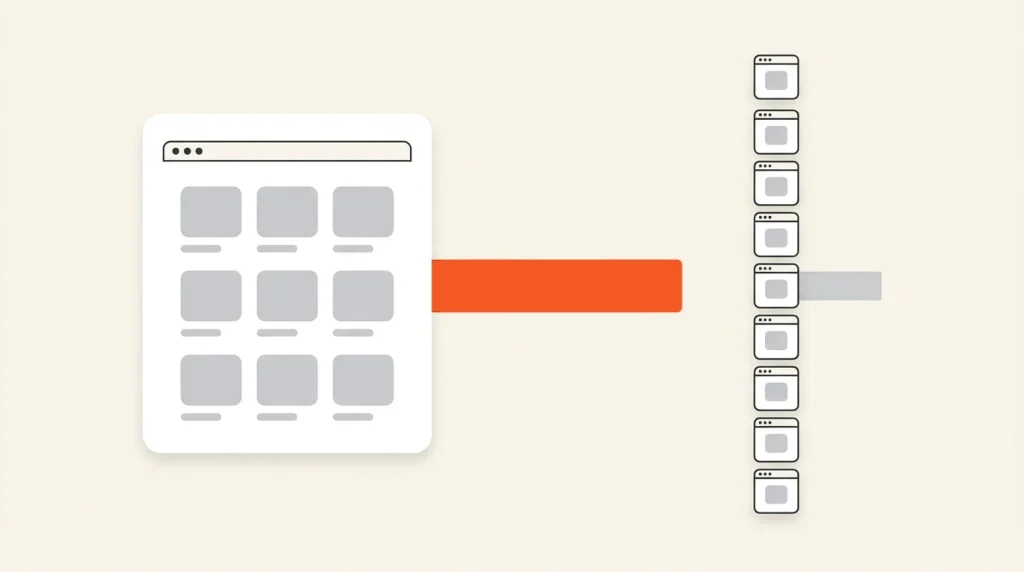
On most stores in a recent 100-store study, collection pages brought in more Google search clicks than product pages, despite being far outnumbered. Lawrence Hitches of StudioHawk analyzed 12 months of Search Console data from those stores (Search Engine Land, October 23, 2026). Where he counted pages, the typical store had about 9 product pages for every collection page.
Every store in the study used Shopify-style URLs, /collections/ for category pages and /products/ for products, so the finding maps straight onto your store. The study doesn’t cover the Shopify side: running the check in Search Console, which URLs count where, and what to change after.
SEO effort usually flows toward product pages, because there are more of them. This guide covers three steps: measure where your traffic goes, decide which page should own each contested search, and give that page the links and copy to win it.
Key Takeaways
- Where page counts were taken in Lawrence Hitches’ 100-store study, collection pages were about 1 in 10 pages on a typical store, yet the median store got about two-thirds of its Google search clicks from them (Search Engine Land, October 2026).
- In the study’s contested non-branded searches, the collection beat the same store’s product page 61% of the time.
- The deciding question is whether the search names one item or leaves a choice open. Plural versus singular wording matters less than most advice claims.
- Decide whether you’re measuring branded or non-branded demand first. Removing brand searches can flip a store’s result.
- More collections don’t create more demand. Build one only when group-phrased demand, enough products and an open ranking slot line up.
What the 100-store study found
Hitches worked from Search Console data for October 2025 to October 2026 across 100 stores in StudioHawk’s client portfolio: about 14.9 million clicks in fashion, furniture, pet food, jewelry and other verticals. He expresses the result as a “shelf ratio,” collection clicks divided by product clicks, and the median store sits at about 2:1.
Collections win most contested searches
The sharper test looks at contested queries: searches where Google showed both a collection page and a product page from the same store. Across more than 12,000 of them from a subset of the stores, with branded searches excluded, the collection won 61% of the time, and the median store’s collection win rate was 66%. Store results ranged from 71% down to 43%.
The study also set a high-demand cutoff at 10,000 impressions a year. On searches at or above it, collections won more often than their store’s overall rate on every store, by a median of 13 points.
Plural versus singular is a weak signal
The usual rule sends plural searches to collections and singular ones to products. Plural searches did lean toward collections, by a median of 7 points, but singular searches still went to the collection 60% of the time.
What the study didn’t measure
The data covers Google search clicks only, so ChatGPT and other AI assistant traffic isn’t in it, as Hitches notes. The stores are StudioHawk clients at different levels of SEO maturity, not a random sample of stores, and the page counts and contested-search results come from smaller subsets of the 100. Treat the numbers as a strong pattern to test against your own data.
The one question that decides which page should rank
Hitches draws a clear dividing line: a product page wins when the search names one specific item, such as a model, a product name, an exact size or color, or something stocked only once. A collection wins when several products could satisfy the search. Put simply, does the shopper still have a choice to make?
- “Bike lights” leaves brightness, mounting and battery type open, so the collection should own it. A search for one light by its model name belongs to that product page.
- “Wedding dresses” is a browse, and the collection should answer it. One bridesmaid dress searched by name and color is a product search.
- “Insulated water bottles” leaves size, lid and color open, so the collection owns it. One named model in a 32 oz size is usually a single product, unless you list that size as several separate products.
The test depends on your catalog, not just the words. If one product fits, rank the product page. If six fit, the shopper still has a decision to make, and the collection is where they make it.
None of this demotes product pages. They still close the sale, and the fundamentals in our Shopify product page SEO guide still apply.
How to measure your shelf ratio in Search Console
Export 12 months of page-level clicks, sort each URL into collection or product, and divide. For most stores, that’s one spreadsheet.
Step 1: Export your pages
In the Search Console Performance report, set the last 12 months, open the Pages tab and export clicks per URL. Very large catalogs may hit the export’s row limit and need the Search Console API instead.
Step 2: Put each Shopify URL in the right bucket
Shopify themes produce a few URL patterns that look like one page type but belong to another. Sort them like this:
| URL pattern | Bucket | Why |
|---|---|---|
/products/handle | Product | The product page itself |
/collections/handle | Collection | The collection page itself |
/collections/x/products/y | Product | A product page reached through a collection, generated by the theme’s within filter |
/collections/all | Set aside | A default page listing every visible product, so it isn’t a shelf you chose, unless you’ve built your own collection with that handle |
?page=2 and other page numbers | Its collection | A later page of the same shelf |
?filter.p.* and ?filter.v.* | Its collection | A filtered view of the same collection |
/collections/x/tag | Its collection | A tag-filtered view; note any that get clicks, because that’s demand |
In Google Sheets, one formula does the sorting with the URL in column A. The order matters: product URLs are caught first, so /collections/x/products/y never lands in the collection bucket.
=IFS(REGEXMATCH(A2,"/products/"),"Product",
 REGEXMATCH(A2,"/collections/all([/?#]|$)"),"Set aside",
 REGEXMATCH(A2,"/collections/"),"Collection",
 TRUE,"Other")
Pagination, filters and tag views all land in Collection under that formula. Their canonicals and parameters matter for technical SEO for Shopify, but they don’t change which shelf a click belongs to.
Step 3: Calculate your share and compare
Total the clicks in each bucket. Collection share is collection clicks divided by collection plus product clicks; shelf ratio is collection clicks divided by product clicks. Hitches groups stores into three bands: collection-led (more than 60% of clicks to collections), mixed (40% to 60%) and product-led (under 40%).
A product-led result isn’t automatically a problem. A store built around a few hero products or named models can be product-led by nature. It’s a problem when collections should own group searches and don’t.
Step 4: Decide whose demand you’re measuring
Settle this before you read the result, because brand searches can flip it. Across the whole sample, removing branded searches barely moved the median collection share (69.2% with them, 68.7% without). Individual stores swung hard: one fashion label went from 72.1% collection clicks to 11.0%, while a kitchenware store went from 33.6% to 72.7%. People who already know you search differently, and new customers are usually the demand SEO is meant to grow.
At the extreme, page structure stops being the constraint. Hitches’ example is a skincare brand that got 86% of its clicks from branded searches. For a store like that, reaching people who don’t know the brand yet matters more than which page ranks.
Search Console’s Branded and non-branded queries filter does the split for you in the Performance report. Since March 2026 it has been available to all eligible sites. That means top-level properties with enough search volume, not URL-path or subdomain properties, so a Domain property is the safe choice. The classification is AI-assisted and can misclassify, so scan the non-branded list for your own name.
The filter is interface-only; the API has no branded field. For API pulls, or a property that isn’t eligible, exclude your brand name, misspellings and unique product names with an excludingRegex filter on the query dimension.
How to find contested searches and pick an owner
A contested search is one where both a collection URL and a product URL from your store got impressions. Finding them takes query and page data together. The Performance report shows one dimension at a time, so pull both through the API or a reporting tool connected to Search Console. Then:
- Keep non-branded searches only, over the same 12 months.
- Bucket the pages with the rules above, and keep searches that show at least one collection URL and one product URL.
- Sort by impressions and start at the top, where the study found collections’ edge was largest.
- For each search, ask whether it names one item or leaves a choice, and write down the owner.
- Point your internal links at the owner.
The owner only helps if your links agree with it. The main menu and collection-list sections should link to the owning collection, product page breadcrumbs should lead back up to it, and product descriptions should link to it in the words shoppers search, not “shop all.” You don’t need to delete or noindex the other page. It still serves its own, narrower searches.
Worked example: a product-led Shopify store
We ran the same check on a Soda client: a multi-showroom luxury resale retailer on Shopify, using 12 months of its Search Console data (November 2025 to October 2026). It came out on the other side of the study.
Of roughly 4,400 clicks to collection and product pages, collections earned about 18%. That’s a shelf ratio of about 1:5, well inside Hitches’ product-led band. Collections weren’t invisible: they drew about 30% of the store’s collection and product impressions. They ranked lower, though, at a median position near 14 against about 7 for product pages, so the clicks went elsewhere.
The result makes sense once you look at the searches. Much of the catalog is pre-owned pieces, and most of the non-branded product searches we could see named a specific model, sometimes down to a reference number. By the dividing line above, those belong to product pages, and they got them. Making this store collection-led was never the goal.
Two other findings matter more than the ratio:
- Most clicks never reached a shelf. Almost two-thirds went to the homepage and the showroom and selling pages, and about half the query clicks we could see used the brand name. For this store, local and brand demand carries search, much like the brand-led stores in Step 4. Google Business Profile links tagged with UTM parameters also showed up as separate URLs, so they go in the Other bucket.
- The opportunity sits in a few choice searches. Searches like “[luxury brand] watches” and “[designer] bags” leave the shopper a choice, so a collection should own them. One brand collection drew about 12,000 impressions at an average position around 24 and earned about a dozen clicks.
The next step is the contested-search list from the previous section, starting with those choice searches. Their collections are the ones worth the copy and internal links below, not all 80 or so collections the store has in search.
When to build a new collection
Hitches sets three conditions for a new collection: non-branded demand phrased as a group, enough products behind it to satisfy that demand, and nothing you already own ranking for it. Miss the first and nobody searches for the page. Miss the second and it disappoints. Miss the third and two of your own pages compete for the same search.
More collections don’t add demand. In Hitches’ sample, stores with more collection pages didn’t win a bigger share of clicks, and each extra page got less. The store with 33 collections averaged more than 340 clicks per collection a year, while the one with more than 29,000 averaged under 4. Faceted or filtered setups that generate collection URLs automatically can inflate a store’s collection count without adding demand.
Tag conditions, filters and thin collections
Tags never create collections on their own. A tag-driven collection exists because someone, or an app, built it with a “Tag includes” condition. Automated conditions are among Shopify’s most useful catalog tools, building collections from type, vendor, category, tag, price, metafields and more. Thin pages come from configuration, typically a bulk setup or app that creates one collection per tag, each with a few products under a name nobody searches.
Refinements usually belong in filters. Search & Discovery filters add parameters such as filter.v.option.color to the existing collection URL, so color, price and availability stay refinements of one strong page. Shopify also recommends storefront filtering over tag filtering. Promote a refinement to its own collection when your search data shows group-phrased demand for it, such as “rechargeable bike lights,” and the other two conditions hold.
Nested collections help you consolidate
Since July 16, 2026, a Shopify collection can include other collections as a source, and existing collections continue to work. Building Shopify sub-collections this way lets a parent draw from its children instead of duplicating their product lists, so one well-built child can serve several parents. A store can have up to 50 collections that contain another collection.
How to make the owning collection earn the click
Write copy that helps the shopper choose. Someone landing on a collection from search still has a decision to make, and the page should help them make it: how the options differ, who each one suits, and what to check before buying.
- A short orientation above the grid. What’s here, how it’s organized and the one decision that matters most, in two or three sentences.
- Selection guidance in shoppers’ terms. For bike lights, that’s brightness for commuting versus trail riding, and how the mounts differ.
- Links down and up. Point to the sub-collections and comparisons that narrow the choice, and back to the parent.
- The search’s words in the title and heading. If shoppers search “rechargeable bike lights,” the collection’s title tag and H1 should say so.
Where that copy sits depends on your theme. In Dawn, the collection description shows in the banner above the product grid, with a setting to show or hide it. In Horizon, it’s an editable, movable text block before the grid. Longer buying guidance can go in its own section lower on the page, connected to a collection metafield so each collection shows its own text.
Read more → For description basics, title tags and collection hierarchy, see our definitive guide to Shopify SEO.
Frequently asked questions
Should collection pages or product pages rank on Shopify?
Both, for different searches. A product page should rank when the search names one specific item, such as a model or an exact variant. A collection should rank when the shopper still has a choice to make. In the contested-search subset of Lawrence Hitches’ 100-store study, collections won 61% of non-branded searches where both page types appeared.
What is a shelf ratio in SEO?
It’s collection-page clicks divided by product-page clicks from Google search, a measure Lawrence Hitches used in a 100-store study published on Search Engine Land in October 2026. The median store sat at about 2:1.
How do I separate branded and non-branded clicks in Search Console?
Use the Branded and non-branded queries filter in the Performance report. It’s available to eligible top-level properties, such as Domain properties, with enough search volume. The API doesn’t include the filter, so for API pulls, use a regex on the query dimension to exclude your brand terms and common misspellings.
The bottom line
The study’s pattern is strong, but your own Search Console data is the deciding vote. Add the shelf ratio to the recurring checks in your Shopify store audit checklist, and rerun it after any collection restructure or theme change.
If you’d rather hand it off, our Shopify SEO team can run the shelf ratio, map your contested searches and rebuild internal links around the pages that should own them. For a one-time review, the paid Shopify Store Audit includes the same analysis. Either page lets you book a discovery call.